They look about the same vintage as the one I use. Good, reliable units.
1 Like
One is 2006 and the other 2007.
2 Likes
Is there any tapes recordings of home and away,neighbours and e-street,Pacific drive and Paradise beach 90’s shows
They’re from 2006/2007
Nearly 8 years after purchasing it, my 2006 Sony RDR-HXD760 has finally carked it.
I first converted VHS tapes in 2016, using a capture card which was purchased to convert home videos. It was all breezy for about 6 months, but the conversion was far from perfect as it resulted in video and audio issues. Annoying!
By December 2016, I knew it was time to upgrade. I looked around for a cheap DVD Recorder, landing on the Sony which was only a suburb away. I paid $50 for it on Boxing Day 2016, and it was worth every dollar.
Unfortunately, in the past 6 or so months the recorder has had issues relating to the HDD, which I thought could be remedied through new SATA cables. It wasn’t to be though!
The recorder has around 150 hours of content recorded to DVD. Pretty impressive!
I reckon I may invest in a Panasonic DMR-BWT955GL. I believe @Zampakid has one, and he’s had huge success with his conversions. Open to ideas though!

5 Likes
The DMR-BWT955 only has a composite input which does not have comb filter. So you will get dot crawl at times (mostly noticeable on graphics). But like other Panasonics that have a network connection, you can copy recordings off of it using Media Monkey so do not always have to write to DVD.
The older DMR-XW385 is similar with dot crawl but was the last model to have a s-video input and only has wired network connection. It cannot be used to plug a vcr directly into as it applies terrible filtering when it detects a vcr. But can be used for recording if another DVD recorder with a good composite input is placed in between and connected via s-video.
There does not seem to have been any advances in image stabilisation from the older DMR-EX77 which does have a menu option to enable the dot crawl filter. In my opinion the DMR-EX77 does give a sharper picture with less noise than the DMR-BWT955.
If your Sony is still operational then you could use it to passthrough to a more recent Panasonic via s-video. Or else you could look at some video capture device for your PC. But the DMR-BWT955 may be ok for you if you are not concerned with the dot crawl or a prepared to try and reduce it through software editing afterwards.
4 Likes
Cheers for the reply @BackThen !
The Sony was not immune to dot crawl, so I suppose I’m not too fussed.
I must admit, I am a bit hesistant to look to a caputre device. This was the output I was receiving in 2016. From around 0:04 there’s audio dropouts, and the colour is off throughout.
I’ll take a look at the DMR-EX77 though. Thanks!
3 Likes
Good luck looking for one @AussieTV . The two later models DMR-EX78 & DMR-EX79 should be similar. After that there was a big revamp when they introduced models that could connect to a network. The larger hard drive versions have an 8 in the name so are models DMR-EX87, DMR-EX88 & DMR-EX89.
The Pioneer dvr-550hx gives a similar picture to the DMR-EX77 and has no dot crawl on composite imput. But the tbc is not as strong and there are some tapes it cannot handle that the Pansonic can.
2 Likes
@Zampakid, can you please give me any advice about archiving old VHS tapes? I plan to buy Adobe Premiere Pro this week as a student and I plan to convert my family’s old tapes in July, including TV recordings my family recorded in the 1990s and the 2000s. Is VirtualDub2 free? I have a DMR-EZ47V recorder for reference.
I have found a capture card: Ezcap VHSDigi2 Composite Video Capture...
1 Like
Yes VirtualDub2 is free and that is all I use for capture and editing. You don’t need to spend money on proprietary programs.
I do direct capture straight to to PC though avoiding the limitations of the DVD-Video format.
1 Like
I capture using my AverMedia analogue USB capture card’s included software and edit using Premiere Pro. That’s mainly due to me finding it extremely easy to queue up dozens of ads/promos from a long tape capture into multiple encodes using Adobe Media Encoder where required. I pay in Turkish Lira so it only works out being like $13 a month or something.
Originally I was using an AverMedia USB HDMI capture card with VirtualDub (using a VHS VCR with HDMI output), but had some extremely frustrating issues with random lag resulting in audio getting out of sync.
Eventually I just threw in the towel and purchased an analogue capture card with RCA and S-Video inputs. The included software is stable and capture quality has been more than acceptable, so that’s what I’m sticking with now. The only frustration I have had is that dot crawl seems to be far more noticeable, as you might be able to notice in this video:
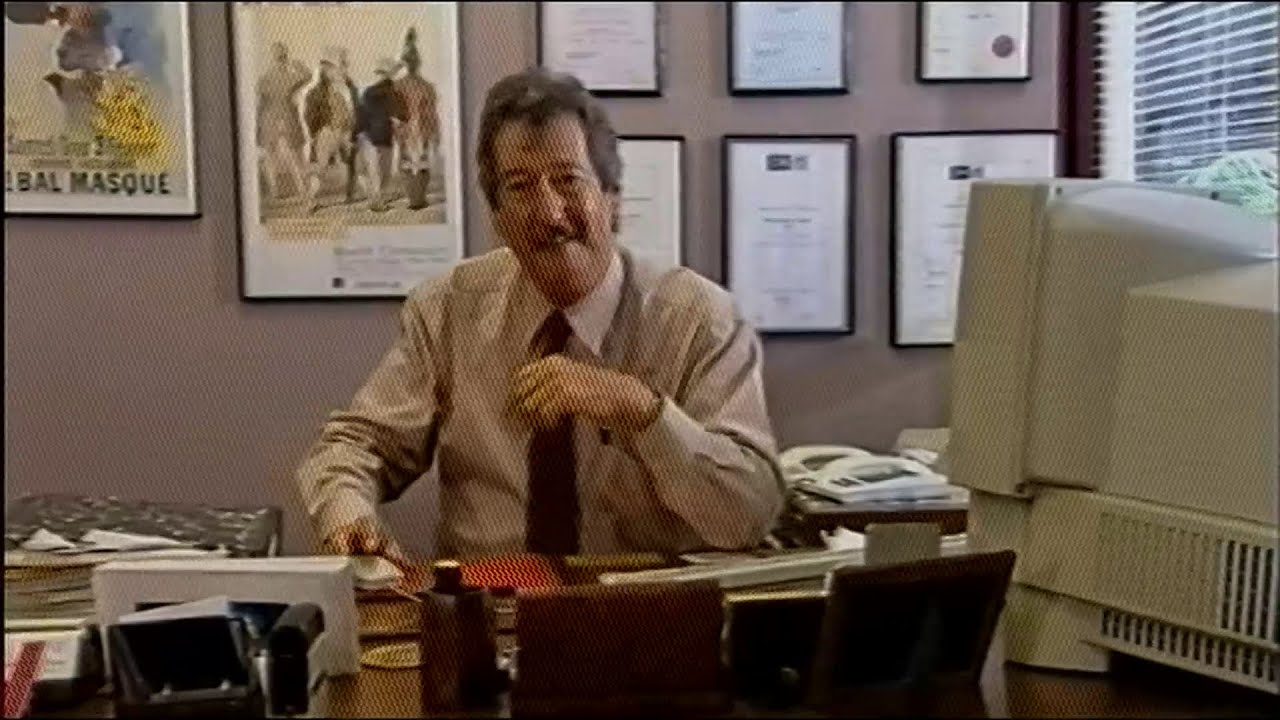
I presume the analogue to digital conversion in my HDMI VCR processed this out, whereas the direct analogue capture to PC doesn’t, so I might need to use some filter to make the dot crawl a bit less noticeable.
A great piece of software is YouTube Bulk Uploader for the Lazy. I find it to be well worth the licence fee, mainly because it is a much more reliable and easy to use interface than the default YouTube channel management interface.
Generally my TV archive workflow involves me determining the length of the tape (rewinding>reset the VCR frame counter to zero>fast forward to the end>rewind again), starting a timed capture based on that length, checking the captured footage and determining the broadcast date and time from fairfaxmedia.newspapers.com for Sydney/Melbourne TV listings, and creating various subfolders on my hard disk named based on the program date and time, where my individual clips from Premiere Pro will be encoded and saved.
Then I go through the recording, creating a large queue in Adobe Media Encoder before rendering it all in one batch overnight. I then use a Powershell script to append the year/media type in the file name and then import them all to YouTube Bulk Uploader for the Lazy. I then add the broadcast detail to the video description (duplicated for each upload, usually) and then upload.
4 Likes
You pay to bulk upload videos? You know you can drag multiple files from a web browser into YouTube and bulk editing is easy in YouTube Studio.
2 Likes
welcome back, btw 
2 Likes
Thanks @TelevisionAU.
2 Likes

it’s a fascinating story
sometimes as many as eight tapes were spinning away at once in Stokes’s apartment, recording news broadcasts, commercials, and everything in between on multiple networks.
6 Likes
Lots of good stuff on this YT channel: TV Australia
I believe this user use to run a website (same name) which had a lot of TV clips that you can download…albeit very compressed. It’s nice to finally see them in decent quality.

(Aussiekid237)

(TV Australia)
2 Likes
The website was called TV Australia.
2 Likes

Excellent @Zampakid someone must have looked after it if it still works. Every one I have come across has not worked.
I recently got a Betamax VCR but had to pay to get it repaired. It works well though.

7 Likes